LayoutEditor

AI and scripting for layouts

Say what the layout should contain. The AI console in the LayoutEditor writes the script, checks it and runs it on your computer. The next sentence changes the result.

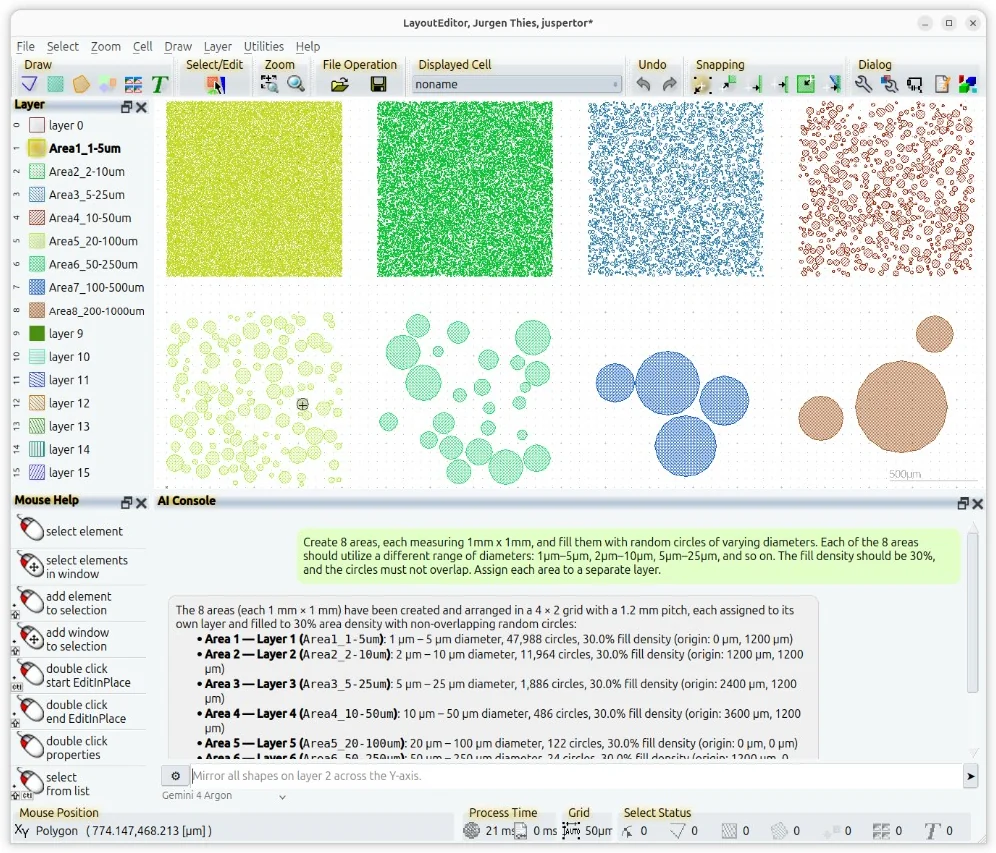
“Eight areas of 1 mm by 1 mm, each filled to 30 percent with random circles, a different diameter range in each area, each area on its own layer” is a complete request. The picture shows the result of that one sentence.

Download Handbook

LayoutEditor with the AI console: the request for eight areas of random circles, the answer, and the eight areas drawn on separate layers

The script stays yours

Every answer that changes the layout is a script in C++ or Python. You can open it in the text editor, keep it, change a number and run it again. Scripts call the same functions as the menus: cells, shapes, layers, Boolean operations, design rule checks and file formats.

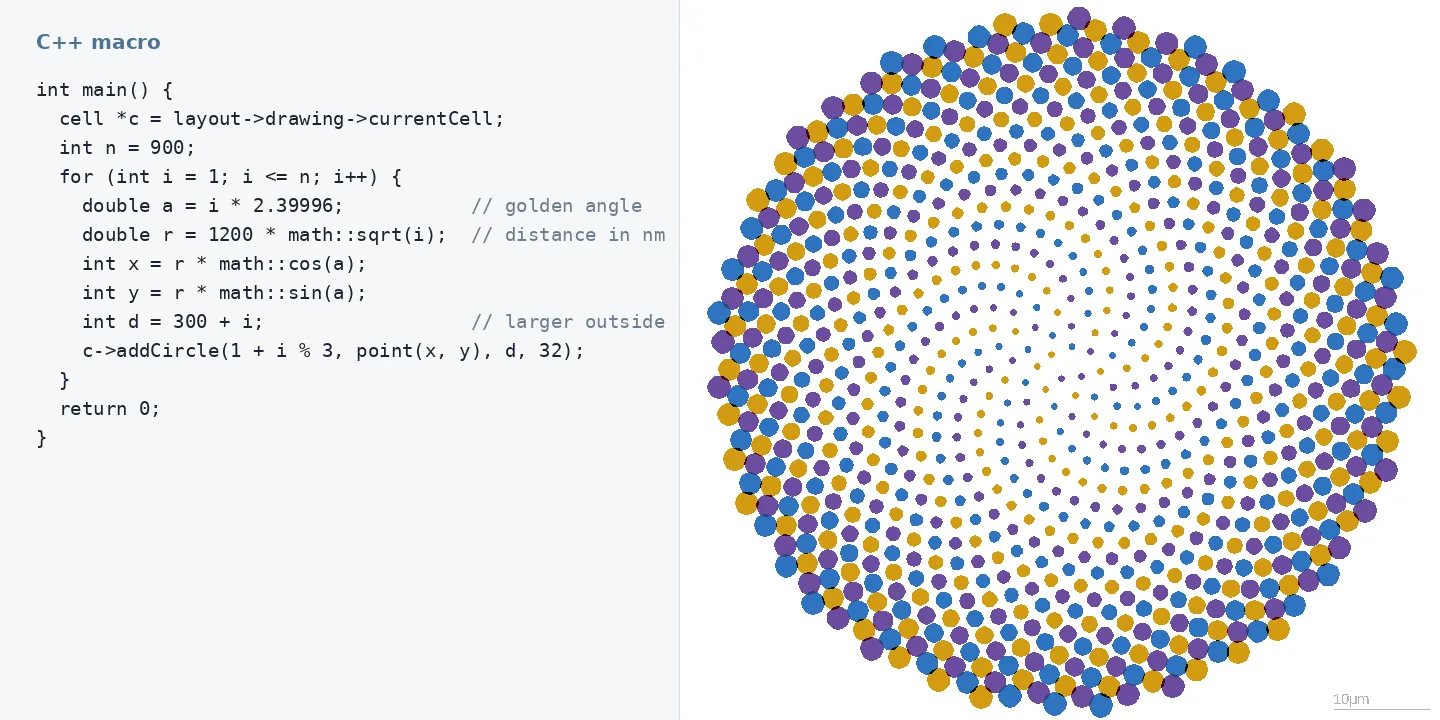
The macro language is C++ and needs no compiler. The example draws 900 circles on a golden-angle spiral; the picture is the result of exactly this macro.
C++ macros API reference

A short C++ macro and the sunflower pattern of 900 circles it draws in the LayoutEditor

What leaves your computer

Chip and MEMS layouts are confidential, so you decide what an AI may see, before the first question.

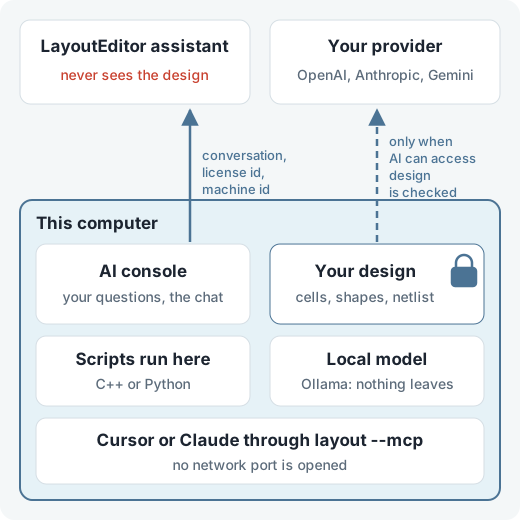
The built-in assistant receives the conversation, the license id and a machine id, nothing else. Cells, shapes, screenshots and the netlist stay on this computer. The assistant cannot open the design; it hands you a script, and that script runs here.

A model you add yourself reads the design only when AI can access design is checked for it, and only at the address you entered. With a model running on this computer, such as Ollama, nothing goes to a provider at all.

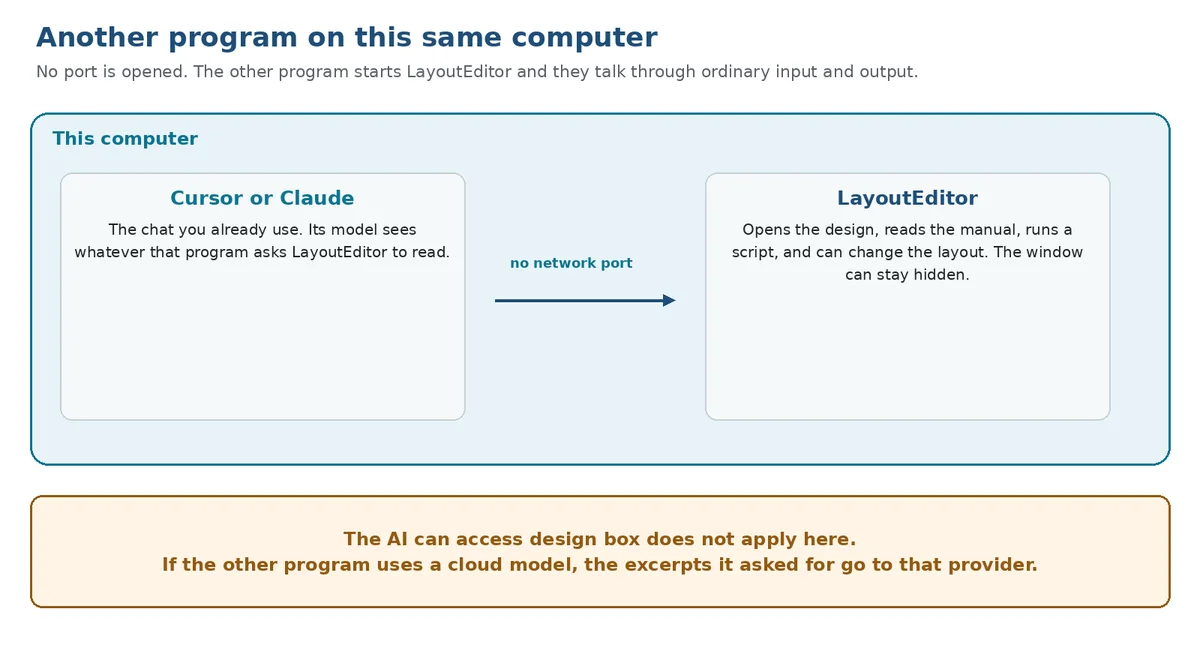
Cursor and Claude start the LayoutEditor on the same computer through layout --mcp. No network port is opened.

What leaves this computer Local models

The design, the scripts, a local model and Cursor or Claude stay on this computer. The LayoutEditor assistant receives only the conversation, the license id and a machine id. A model you add receives the design only when AI can access design is checked.

Macros and Python

Macros can be recorded from the user interface, the way office programs record them, and added to the menus as your own tools. Python works in two ways: inside the running LayoutEditor with the open design, or as the LayoutScript module in your own Python program, with or without a window.

Scripting Python

Your own language model

The built-in assistant is ready without setup. You can also add OpenAI, Gemini, Anthropic, Grok, DeepSeek, OpenRouter, or a model that runs on this computer. A switch per model decides whether it may read the design or only see the conversation. A local model keeps even the conversation on this computer; see what leaves your computer.

Language models

Cursor and Claude drive the editor

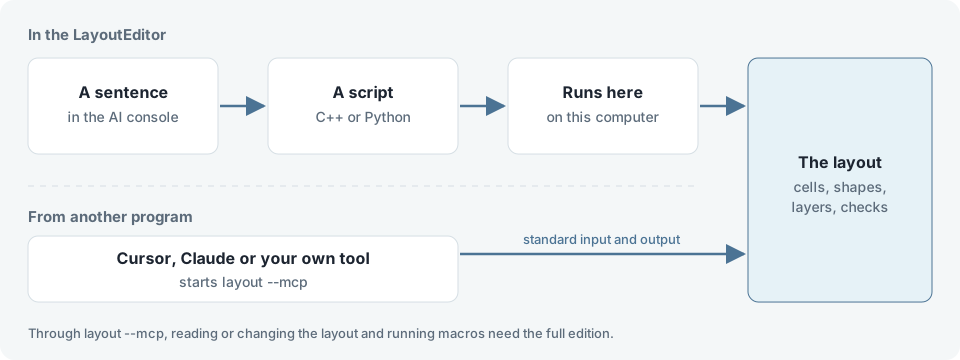
Cursor, Claude Desktop and Claude Code can start the LayoutEditor with layout --mcp and work on the design: open a file, read the handbook, draw, check and save. No network port is opened; both programs talk through standard input and output on the same computer.

The connection starts with any license. Reading or changing the layout and running macros need the full edition; the handbook, the text editor, the schematic and the 3D editor stay available.

Other programs

Cursor or Claude and the LayoutEditor on the same computer, connected without a network port

Two ways in

In the AI console a sentence becomes a script that runs on this computer and changes the layout; another program can start layout --mcp and use the same tools

free

  • AI console with a limited number of requests
  • scripts and macros
  • export of some file formats limited to small designs
  • larger designs exported through the cloud service for a fee
Download

reduced

  • manual editing
  • no size limitation, all file formats
  • SchematicEditor and photomask service
Prices

full

  • macros and scripting
  • AI support
  • your own language models
  • layout tools for Cursor and Claude
  • no size limitation, all file formats
Prices

Download

LayoutEditor Download

View all LayoutEditor packages

gds viewer